
Voice
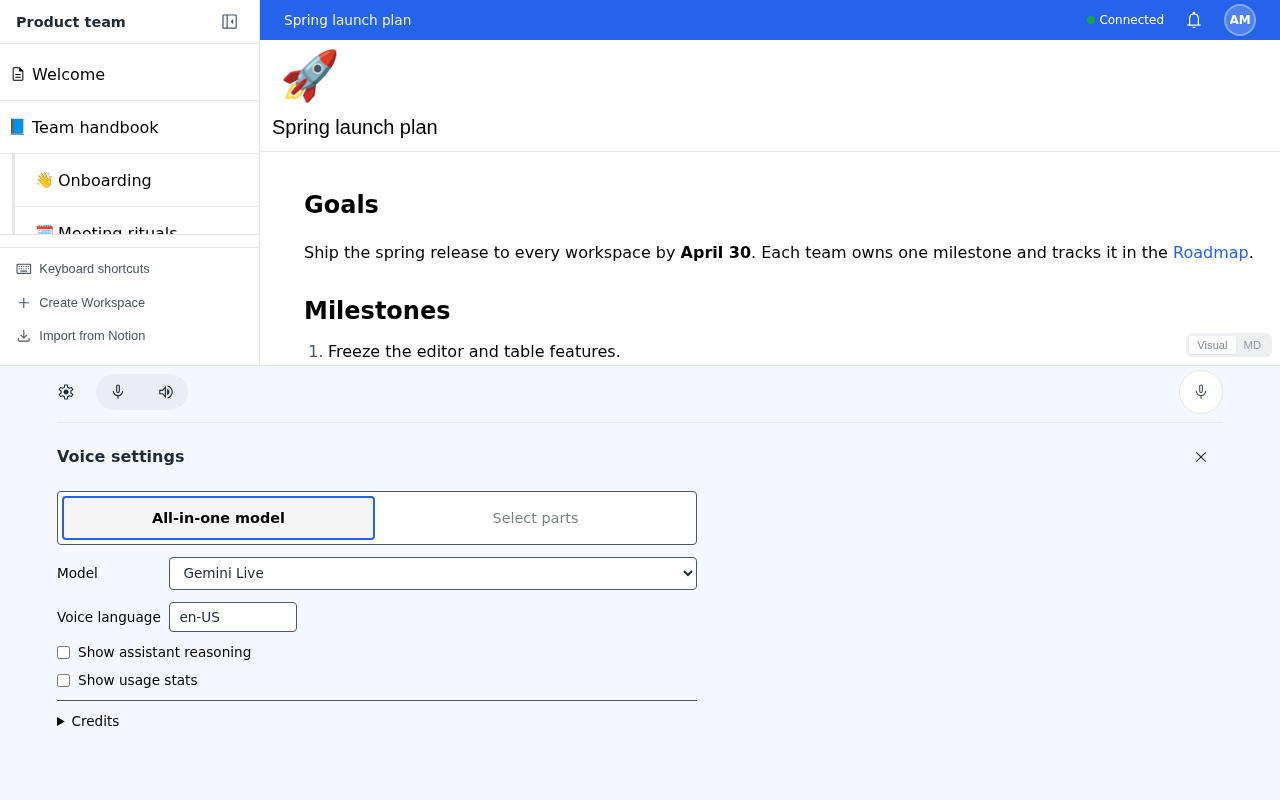
mddb's web app hosts Go Mode's voice bar. You talk to an assistant that reads and edits your active workspace through the workspace tools. Voice is off by default.
Choose where the gateway runs
voice-gateway.mode in config.toml selects it. Provider API keys never turn voice on by themselves.
| Mode | Gateway | Use it when |
|---|---|---|
disabled | None. This is the default. | You do not want voice. |
embedded | Runs inside the mddb process | One server handles both. mddb owns authentication. |
external | A standalone Go Mode gateway | Voice needs another machine, local model isolation, or scale. |
The voice bar appears only when /.well-known/gomode.json advertises a gateway URL.
Run the embedded gateway
Set the mode and declare at least one choice:
[voice-gateway]
mode = "embedded"

[[voice-gateway.config.realtime]]
label = "Gemini Live"
provider = "gemini"
model = "gemini-3.8-live"
Then give the service the provider key, for example GEMINI_API_KEY. See Pass provider credentials.
The installed config.toml already declares realtime models, named language models, speech stages, and presets. At startup, mddb hides choices whose provider is unavailable and stops if none remain. Managed local models download large files and load on first use. Remove the choices you do not want.
[[voice-gateway.config.realtime]], [[voice-gateway.config.llm]], [[voice-gateway.config.asr]], [[voice-gateway.config.tts]], and [[voice-gateway.config.voice]] follow Go Mode's voice choice format. The example config.toml shows every supported provider.
Open UDP for audio
Signaling uses mddb's HTTP listener. WebRTC audio uses UDP. webrtc_udp_port = 0, the default, selects an ephemeral port. A fixed port from 1 to 65535 lets you write a firewall rule; on Linux, also allow it in the service. Text sessions use WebSockets on the HTTP listener.
Limits protect the server
The embedded gateway allows one active session per user and eight in total. It accepts at most three new offers per minute per user and twenty in total. A new offer from the same user replaces that user's session when capacity allows. Sessions end after two hours.
Transcript activity logs stay in a private temporary directory outside the data directory. mddb deletes them at normal shutdown.
Connect a standalone gateway
Install Go Mode's voice gateway on its own machine. The gateway owns its model credentials, media ports, session limits, and transcript storage.
mddb and the gateway need stable public origins without paths. Both use HTTPS, except on loopback for development. The issuer is mddb's server.base_url.
Clients ask mddb for a token at /api/v1/gomode/voice/token. The Android shell uses GET and browsers use POST. The token lasts five minutes and identifies the signed-in user. Your mddb login token stays on mddb's origin.
Scoped tokens
Generate an Ed25519 signing key in the mddb config directory:
umask 077
openssl genpkey -algorithm Ed25519 -out ~/.config/mddb/voice-signing-key.pem
Configure mddb:
[server]
base_url = "https://mddb.example.com"

[voice-gateway]
mode = "external"
url = "https://voice.example.com"
instance_id = "mddb-home"
token_mode = "scoped"
signing_private_key_pem = "voice-signing-key.pem"
At startup, mddb logs voice gateway trusted issuer with a public_key value. Add it to the gateway's configuration:
[[trusted_issuers]]
service = "mddb"
issuer = "https://mddb.example.com"
public_key = "the-value-from-the-mddb-log"
OAuth tokens
Set token_mode = "oauth" and omit signing_private_key_pem. mddb creates voice-oauth-key.pem with mode 0600 in its config directory. Keep that file across restarts and deployments; it is mddb's signing identity.
On the gateway, trust the issuer with OAuth:
[[trusted_issuers]]
service = "mddb"
issuer = "https://mddb.example.com"
oauth = true
The gateway reads <base_url>/.well-known/oauth-authorization-server and <base_url>/oauth/jwks. Forward both paths through your reverse proxy.
Proxies in front of the gateway
The gateway allows cross-origin requests from each trusted issuer. A proxy in front of it must pass OPTIONS requests and the Authorization and Content-Type headers. The gateway needs no cookies.
Session content goes to your providers
- Realtime cloud models, such as Gemini Live, receive microphone audio, session instructions, and tool results.
- Composed sessions send content to the recognition, language, and speech stages you configure, or run managed models on your server.
- A standalone gateway receives the session and applies its own model and storage settings.
mddb does not store voice audio. Tools run with the signed-in user's permissions, so voice reaches only the workspaces and nodes that user can access.