Git and GitHub sync
Each workspace is a Git repository, and each workspace can sync with one remote. A manual remote works with any Git host. The GitHub App adds pulls on every GitHub push.
Workspace admins manage sync
Open the workspace settings at <base_url>/settings/workspace/<workspace-id> and select Git Sync. Only workspace admins see this tab. With a remote configured, the tab shows its URL, status, last sync time, push and pull actions, and the Auto-push option.
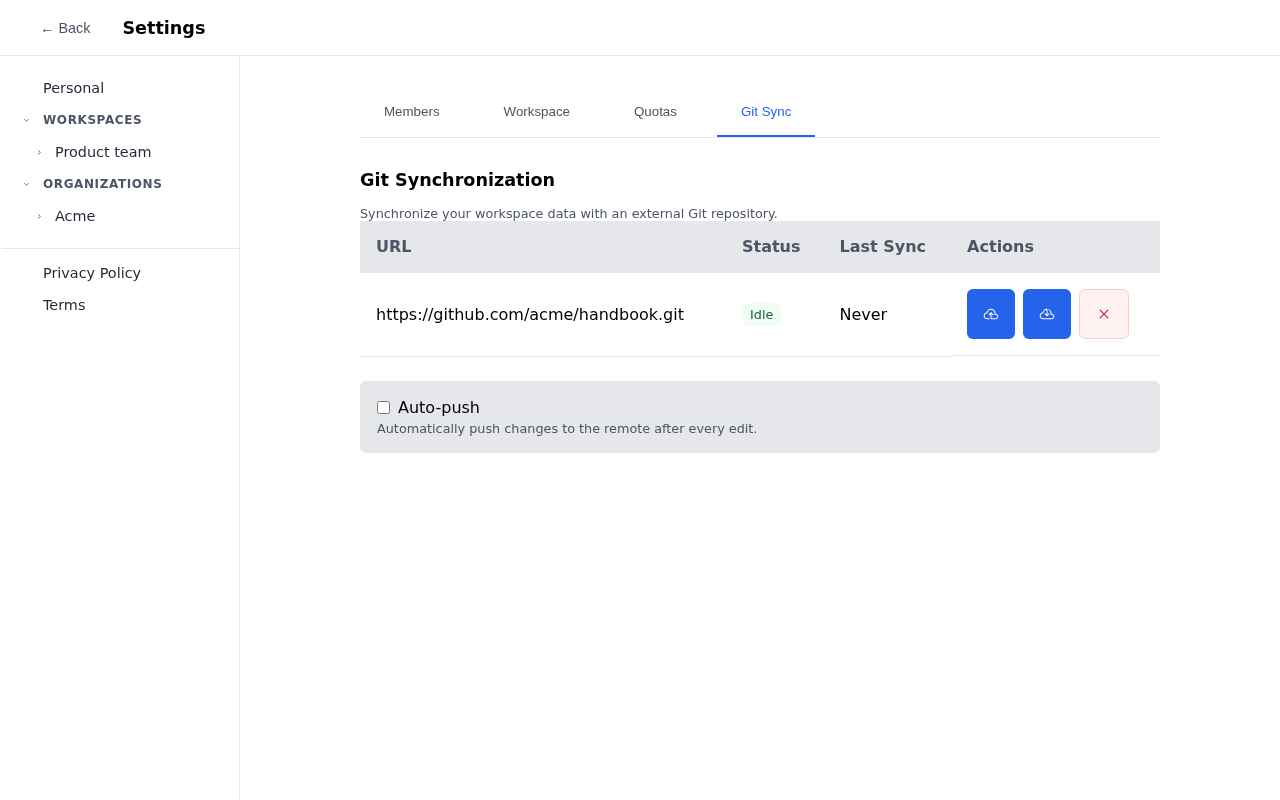
Auto-push is off by default. When on, mddb pushes five seconds after the last edit. A merge conflict sets the status to Conflict; resolve it in the repository, or pull again.
Add a manual remote
Choose Manual Setup, then enter the repository URL. For a private HTTPS repository, add a personal access token that can push to it. mddb uses the token for pushes and pulls.
A manual remote pulls only when you select the pull action.
The GitHub App syncs in both directions
A GitHub App pushes with short-lived installation credentials, and GitHub notifies mddb after each push to the repository. mddb then pulls the change. GitHub must reach mddb over public HTTPS; see Serving over HTTPS.
Create the app
- Open New GitHub App.
- Enter an app name, such as
mddb-sync, and set Homepage URL to yourbase_url. - Set Webhook URL to
<base_url>/api/v1/webhooks/github. - Set Webhook secret to a random string, for example the output of
openssl rand -hex 32. - Under Repository permissions, set Contents to read and write. Metadata stays read-only.
- Under Subscribe to events, select Push.
- Choose where the app can be installed: only your account, or any account for several organizations.
- Select Create GitHub App. Note the App ID on the settings page.
- Under Private keys, select Generate a private key and save the
.pemfile in the mddb config directory.
Configure mddb
[github.app]
id = 123456
private_key_file = "github-app.pem"
webhook_secret = "the-secret-from-step-4"
Set id and private_key_file together, or neither. A relative key path resolves against the config directory. Restart mddb after the change.
Keep webhook_secret set. With an empty secret, mddb accepts unsigned webhook deliveries.
Connect a workspace
- Install the app at
https://github.com/apps/<app-name>/installations/newand grant it access to the repositories you want. - In the workspace's Git Sync tab, choose GitHub App.
- Select the installation, the repository, and the branch, then select Connect GitHub.
- Turn on Auto-push to push edits as you make them.
If the tab shows "GitHub App not configured on this server", check the [github.app] section and restart mddb.