
What is mddb?
mddb is a self-hosted document and table system, similar to Notion. One server executable embeds the web app, the HTTP API, and an MCP endpoint. Content stays in plain files on your disk, and each workspace is a Git repository.
Organizations hold workspaces
An organization is the administrative unit, such as a company or a team. A workspace is an isolated content container inside an organization, such as a project or a department. Each workspace has its own pages, tables, members, and Git remote.
Organization roles are owner, admin, and member. Workspace roles are admin, editor, and viewer. Viewers read. Editors change content. Admins also manage members, settings, and Git sync.
The first account on a new server becomes the server administrator. It opens the server settings at /settings/server.
Pages and tables are nodes
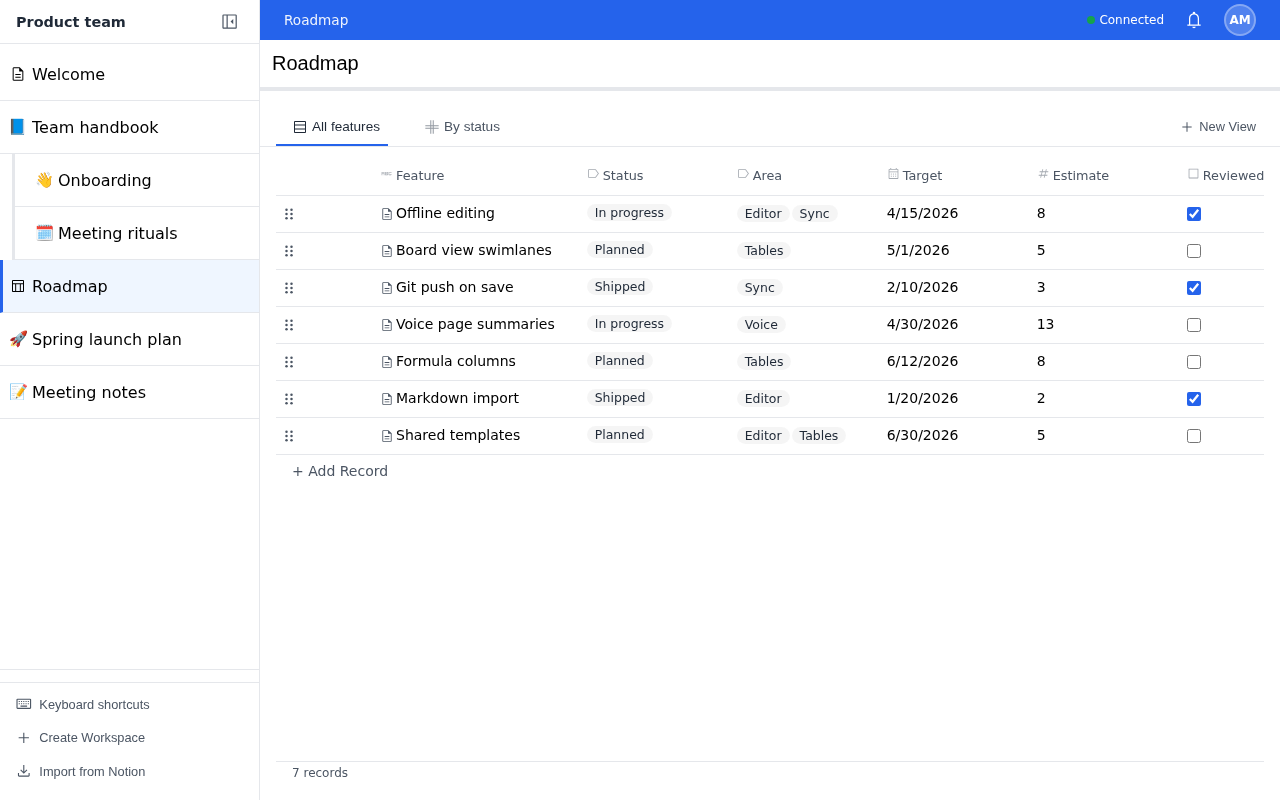
Every item in the sidebar tree is a node. A node holds a page, a table, or both, and it can hold child nodes.
- A page is Markdown. Edit it in the visual editor or switch to Markdown mode.
- A table stores records under typed columns. The column menu offers text, number, checkbox, date, select, multi-select, user, URL, and email. Notion imports can also add Markdown, phone, relation, rollup, and formula columns.
- A table shows its records through saved views: table, list, gallery, or board. Each view keeps its own filters, sorts, grouping, and visible columns.
Search covers documents, tables, and folders.
Content is plain files
The data directory holds content only. Each workspace is a separate Git repository:
data/
├── db/                     # Accounts, organizations, memberships, and sessions
└── <workspace-id>/         # One Git repository per workspace
    ├── AGENTS.md           # File format guide for AI agents
    └── <node-id>/          # A page, a table, or both
        ├── index.md        # Page content with YAML front matter
        ├── data.jsonl      # Table schema on line 1, then one record per line
        ├── data.blobs/     # Content-addressed table files
        ├── metadata.json   # Saved table views
        ├── <asset-files>   # Images and files attached to the page
        └── <node-id>/      # Child nodes nest inside their parent
The data directory is itself a Git repository that records each workspace as a submodule. Every content change is a commit. You can:
- edit files with any text editor or script;
- read history, branch, and merge with Git;
- push a workspace to GitHub or another remote;
- back up the directory with standard tools.
Startup settings and server secrets live outside the data directory. See Configuration.
Data stays on your server
Workspaces stay on your machine. Git sync sends a workspace to a remote only after you configure one. Voice is off by default; when you turn it on, session content goes to the gateway and model providers you configure. mddb does not store voice audio.
Next steps
- Install mddb and configure it.
- Serve it over HTTPS and add sign-in providers.
- Connect Go Mode, voice, or import from Notion.
The HTTP API reference is API.v1.md.